Lost the remote? Scenely turns your iPhone into a full TV remote with no paywall on the buttons. Then tap a Scene and your TV is ready for Movie Night, Game Day or bedtime.
iPhone · iOS 17 or later · Roku and Samsung TVs on your Wi-Fi · App Store release coming soon
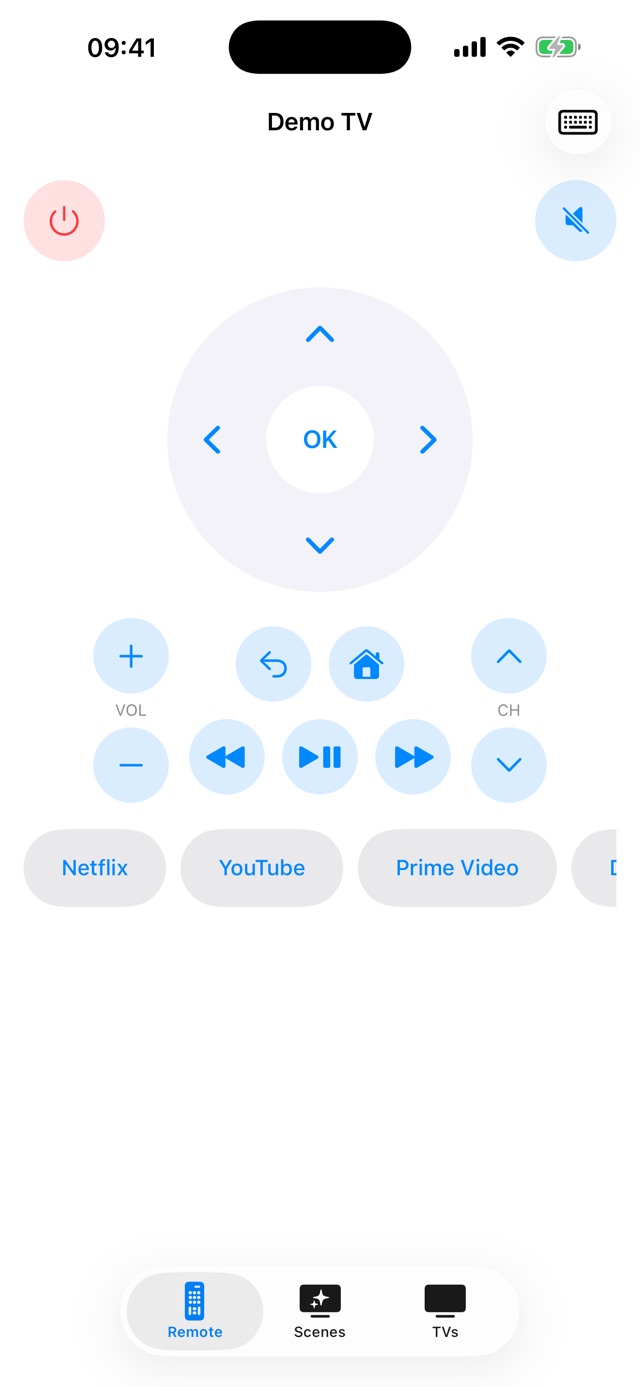
Everything you press every day is free. Premium adds the shortcuts that save you time.
D-pad, OK, back, home, volume, mute, channels and playback. No ads and no locked buttons.
Scenely looks for Roku and Samsung TVs on your Wi-Fi. You can also add a TV by its IP address.
Search and enter passwords using your iPhone keyboard instead of the on-screen one.
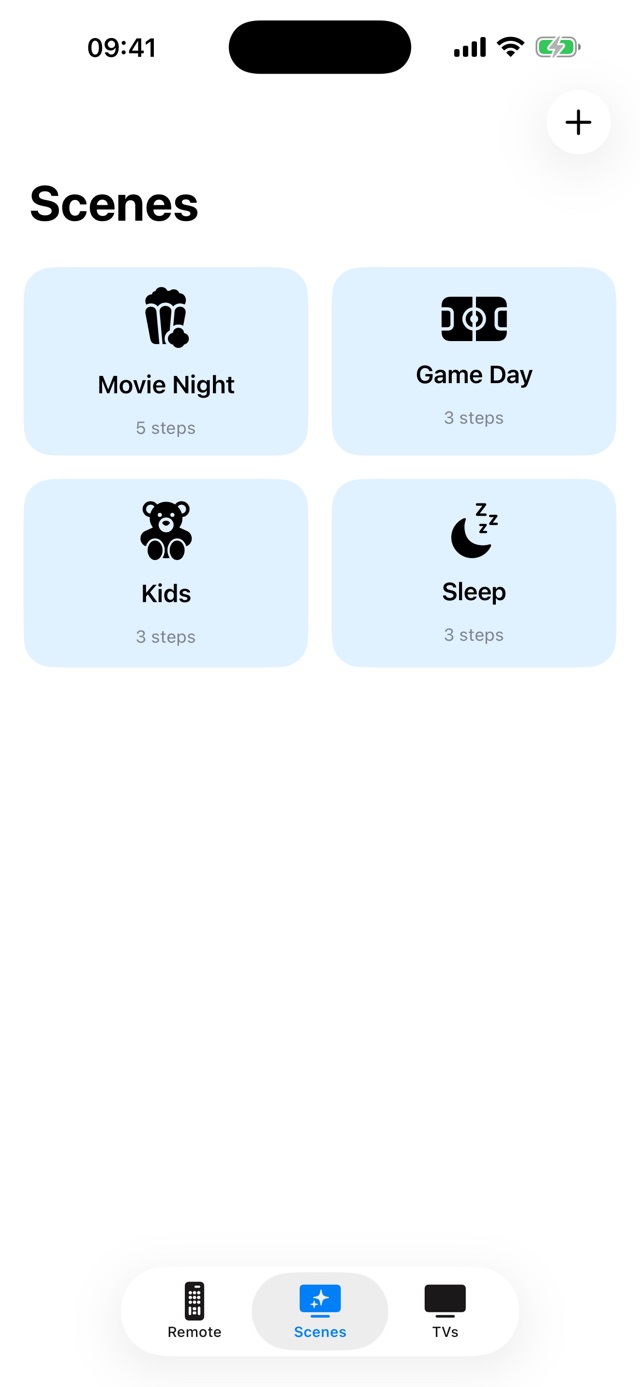
Movie Night, Game Day, Kids and Sleep are ready to go. One tap opens an app, sets the volume and more.
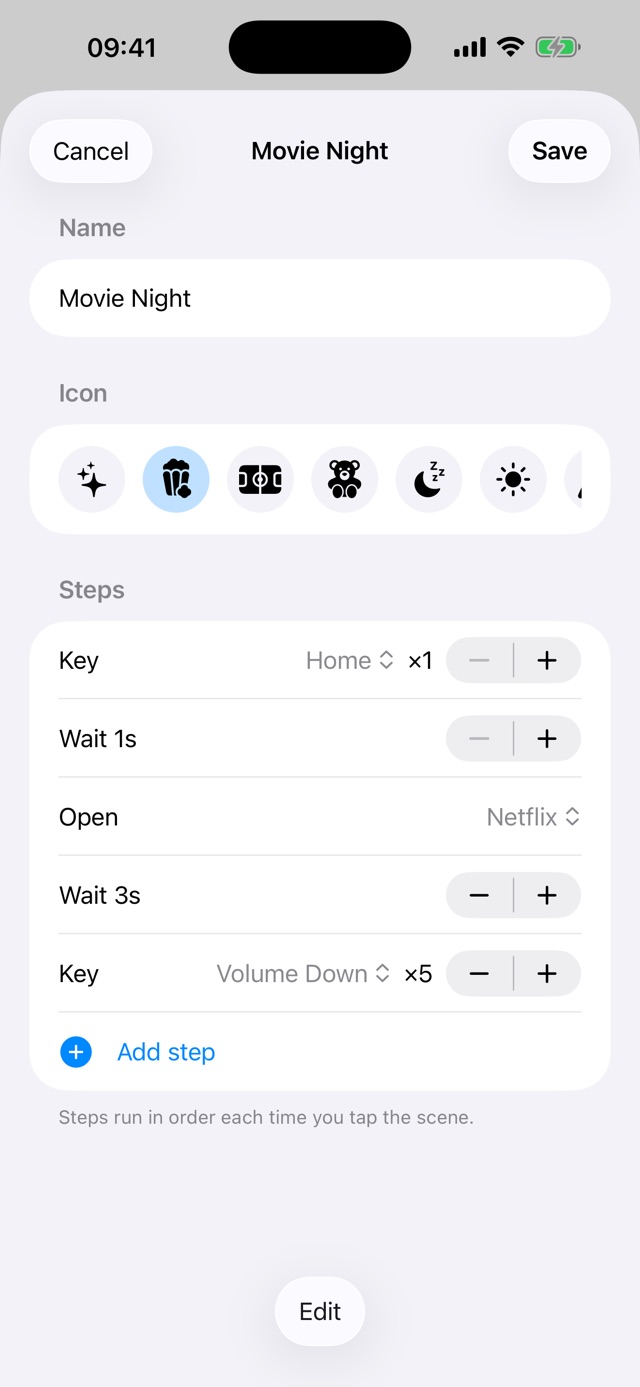
Create scenes from steps: open an app, press keys, repeat, wait. Reorder and edit any time.
Living room, bedroom, den. Switch between your TVs in a tap.
A clean native design that stays out of your way.
Scenely has no ads, no analytics and no tracking. It talks to your TV, not to our servers.
Nothing interrupts you while you change the channel.
Commands go straight from your iPhone to your TV over your home network.
Roku TVs and players (including TCL and Hisense TVs that run Roku) and Samsung smart TVs, when your iPhone and TV are on the same Wi-Fi network. More brands are planned.
On the TV open Settings → System → Advanced system settings → Control by mobile apps and choose Permissive (or Default). Then open the TVs tab in Scenely and tap Scan.
Tap Scan in the TVs tab, choose your TV, then tap Allow on the pop-up that appears on the TV. If no pop-up shows, check Settings → General → External Device Manager → Device Connection Manager on the TV.
Make sure Local Network access is on for Scenely in iPhone Settings, that your iPhone and TV use the same Wi-Fi (not a guest network), and that the TV is on. You can also add the TV by its IP address.
Yes. Open the TVs tab and tap Try Demo Mode to explore every screen with a simulated TV.
Subscriptions are managed by Apple: Settings → your name → Subscriptions → Scenely. Lifetime Premium is a one-time purchase.
 Scenely